
How to Vote for James

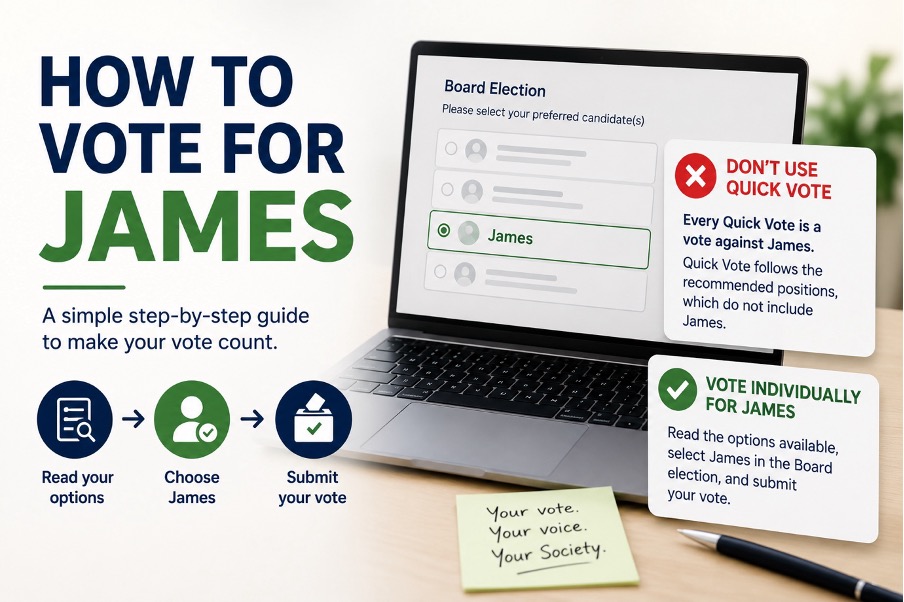
If you would like to support James in the Nationwide AGM Board election, this guide explains exactly how to cast your vote.
Voting only takes a few minutes, but it is important to follow the correct steps.
Step 1: Find Your Voting Pack
Eligible Members should receive voting information by email or post before the AGM.
If voting online, look out for an email from CESjoinIN containing your personal voting link.
Step 2: Do Not Use Quick Vote
Members will be offered a “Quick Vote” option.
Quick Vote allows Members to submit votes using Nationwide’s recommended positions without reviewing each item individually.
If you want to support James, DO NOT SELECT THE QUICK VOTE.
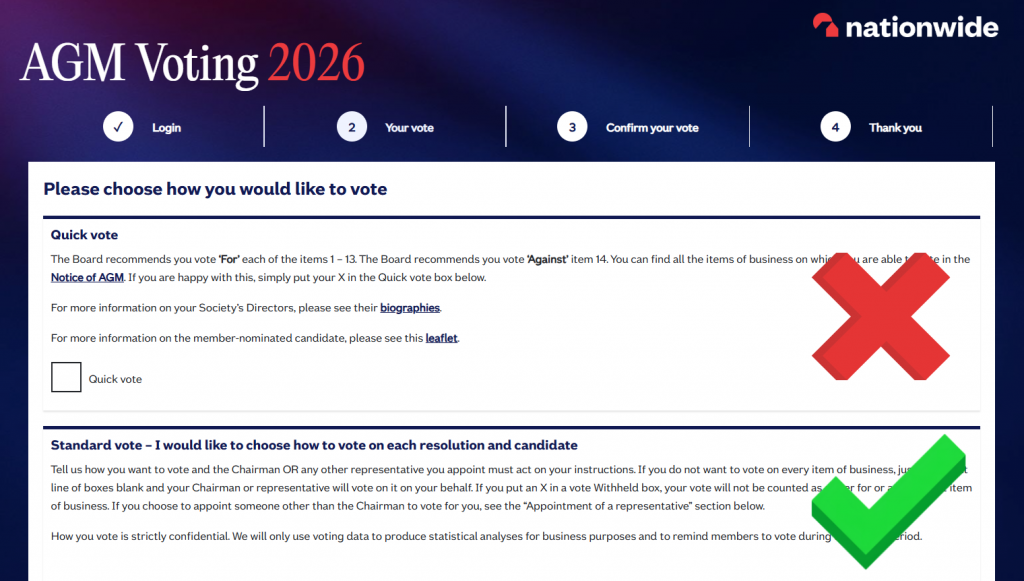
Instead, choose the option that allows you to review the resolutions and Board elections individually.
Step 3: Go to the Board Election Section
Work through the voting process until you reach the section covering the Board election.
You will be shown the candidates standing for election.
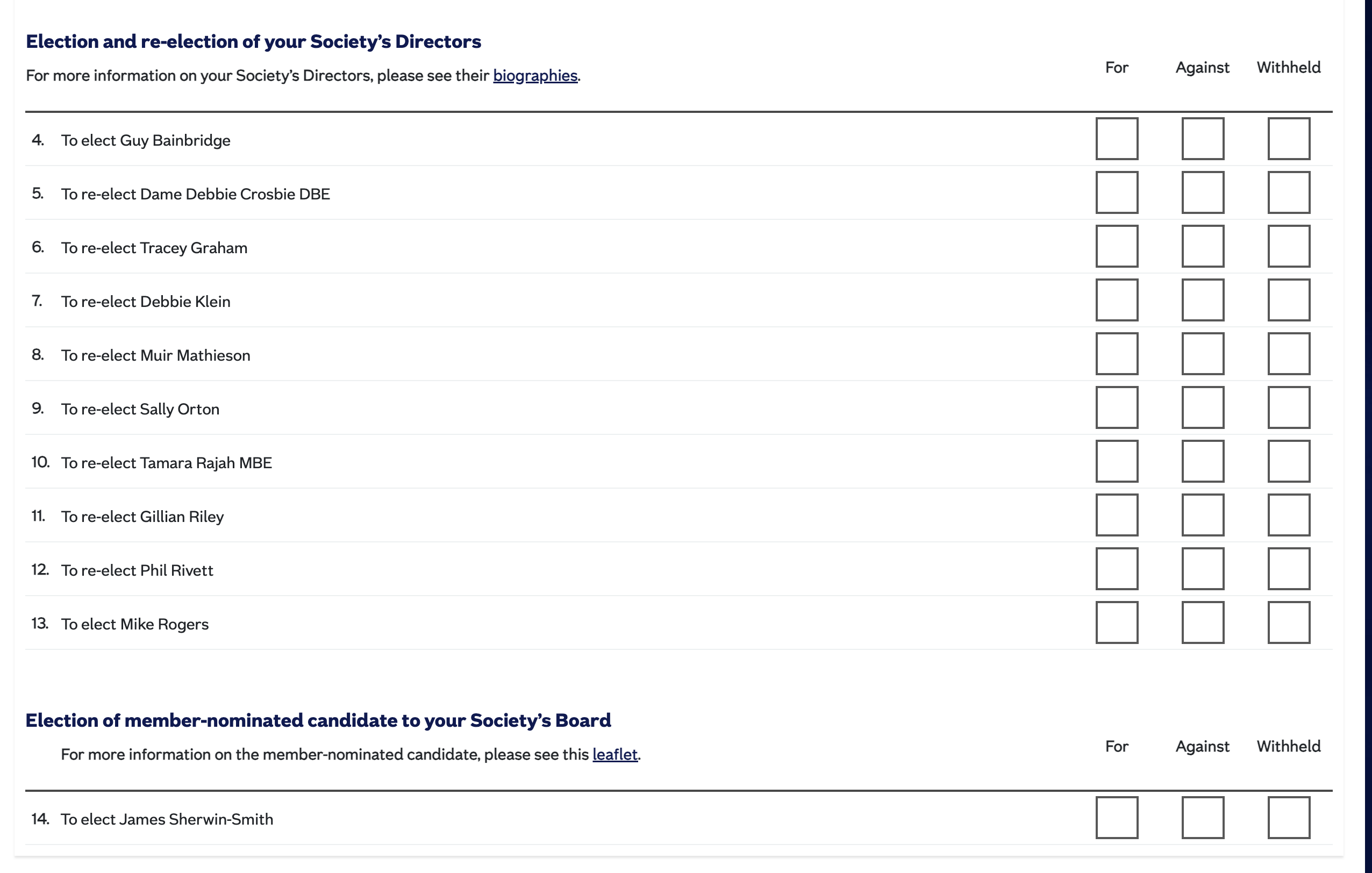
Take the time to read the information provided about each candidate.
Step 4: Vote for James
When you reach the Board election section:
✅ Select James as your preferred candidate.

Make sure your selection has been recorded before moving to the next screen.
Step 5: Consider the Other Candidates
Members can make their own decisions about the remaining candidates.
Read the information provided and vote according to your own judgement.
Some Members may choose to support additional candidates, while others may choose not to.
The important thing is to make an informed choice rather than relying on the automatic voting option.
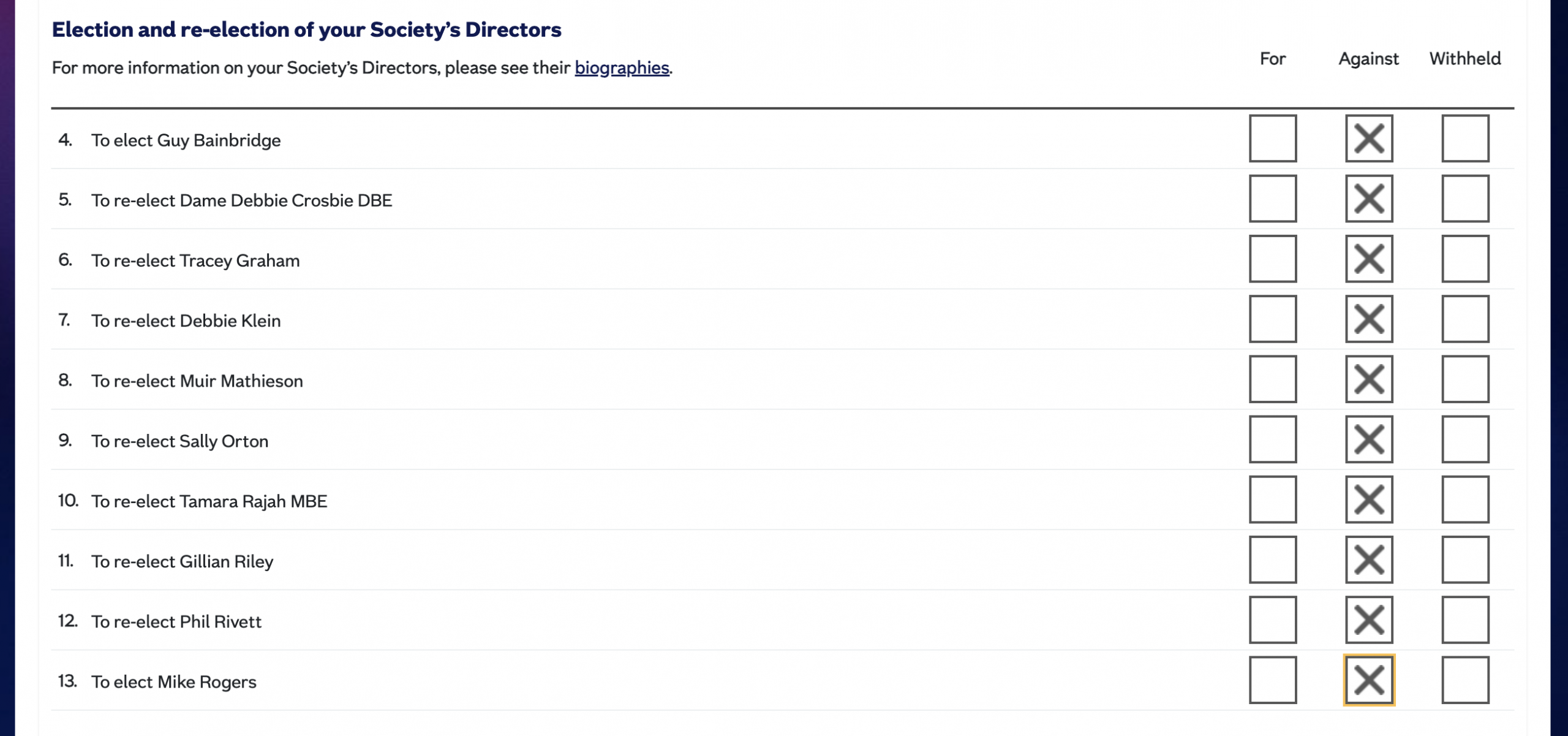
To show the utmost support for James, we recommend to vote AGAINST all other board members as shown below:
Step 6: Appoint a representative
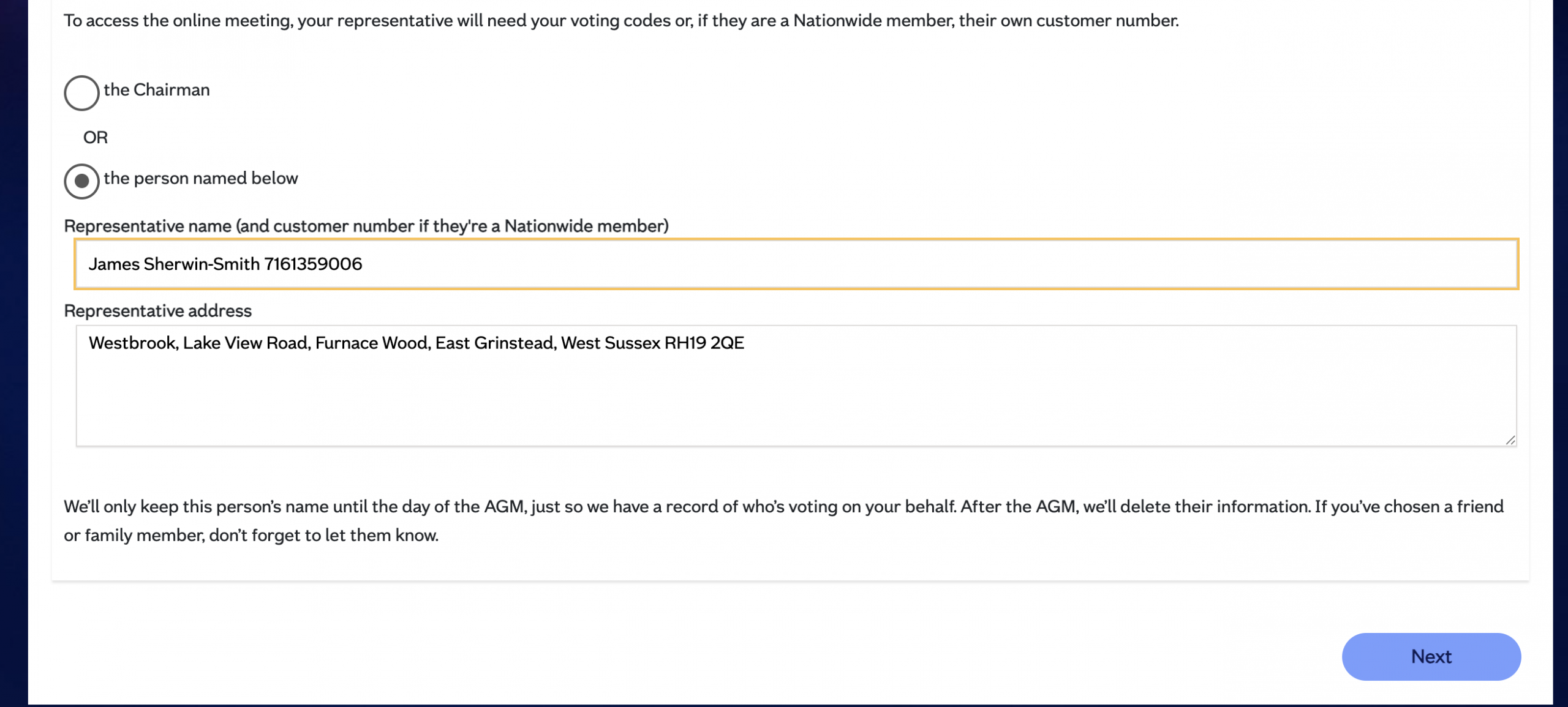
At the end of the process – you are asked if you’d like someone to act as your proxy at the meeting. This is assigned to the Chairman by default, OR you can assign it to someone else you’d like to have represent you.
This is especially important if you are leaving any of the tick box rows blank.
If you don’t put one tick in a box PER ROW, you’re leaving it to the discretion of your proxy – which by default is the Chairman.
So please consider voting “Against” (James’ preference), or Withheld if you don’t want to vote “For” a Board Candidate. And if you want to leave it blank, recognise that the Chair as your default Appointed Representative will be voting “For” other candidates, as per the Board’s recommendations.
If you are unsure how to vote, and would like to leave it to James to decide for you, please appoint him as your Representative at the end of the form, by using this information:
James Sherwin-Smith – customer number 7161359006
Westbrook, Lake View Road, Furnace Wood, East Grinstead, West Sussex RH19 2QE
Step 7: Submit Your Vote
Review your selections carefully.
Once you are happy with your choices:
✅ Submit your vote.
You should receive confirmation that your vote has been recorded.
Why Avoid Quick Vote?
Many Members may not realise that Quick Vote follows Nationwide’s recommended voting positions.
If you want to decide each resolution and election for yourself, you should review the ballot individually.
Voting individually ensures that your vote reflects your own choices.
Final Checklist
☐ Received your voting pack
☐ Opened the voting link
☐ Avoided Quick Vote
☐ Reviewed the Board election
☐ Selected James
☐ Submitted your vote
Thank you for taking part in the Nationwide AGM.